Best AI Tools for Students in 2026 :The Complete Guide to Studying Smarter
Being a student in 2026 is nothing like it was even three years ago. The pressure hasn’t gotten lighter — if anything, academic expectations are higher than ever. But the tools available to help you meet those expectations? They have never been more powerful, more accessible, or more student-friendly.
Artificial intelligence has quietly become the most transformative force in education since the internet itself. Today’s students aren’t just Googling answers — they’re having full conversations with AI tutors, getting instant feedback on essays, solving complex math problems step by step, recording and transcribing entire lectures automatically, and conducting research in minutes that would have taken hours just a few years ago.
But here’s the problem: with dozens of AI tools competing for your attention — and your wallet — it’s genuinely difficult to know which ones are worth your time. Most guides you’ll find online are already outdated, recommending tools that are paywalled, discontinued, or simply not as good as they used to be.
This guide is different. AI companies are competing harder for student users than ever, which means free tiers are the best they have ever been. Every tool on this list has been selected based on what’s actually working for students in 2026 — real academic tasks, real coursework, real results.
Whether you’re a high school student, an undergrad, a postgraduate researcher, or a lifelong learner, this guide will show you exactly which AI tools deserve a spot in your study arsenal — and how to use each one to its fullest potential.
What Are AI Tools for Students — and Why Do They Matter in 2026?
Before diving into the list, let’s establish what we mean by AI tools for students and why they’ve become so essential.
AI tools for students are software applications that use AI to help with academic tasks — writing, research, note-taking, math solving, grammar checks — things that used to take hours now take minutes. But the real value goes deeper than just saving time. The best AI tools don’t just do your work for you — they make you better at doing your own work. They explain concepts you’re struggling with, give you feedback that improves your thinking, help you organize overwhelming amounts of information, and free up your mental energy for the deep, creative work that actually leads to learning.
Think of these tools as study partners that help you understand concepts more deeply, organize your work more efficiently, and develop skills that will serve you throughout your career. Used responsibly, AI tools are one of the most powerful academic advantages available to students today. Here’s how to make the most of them.
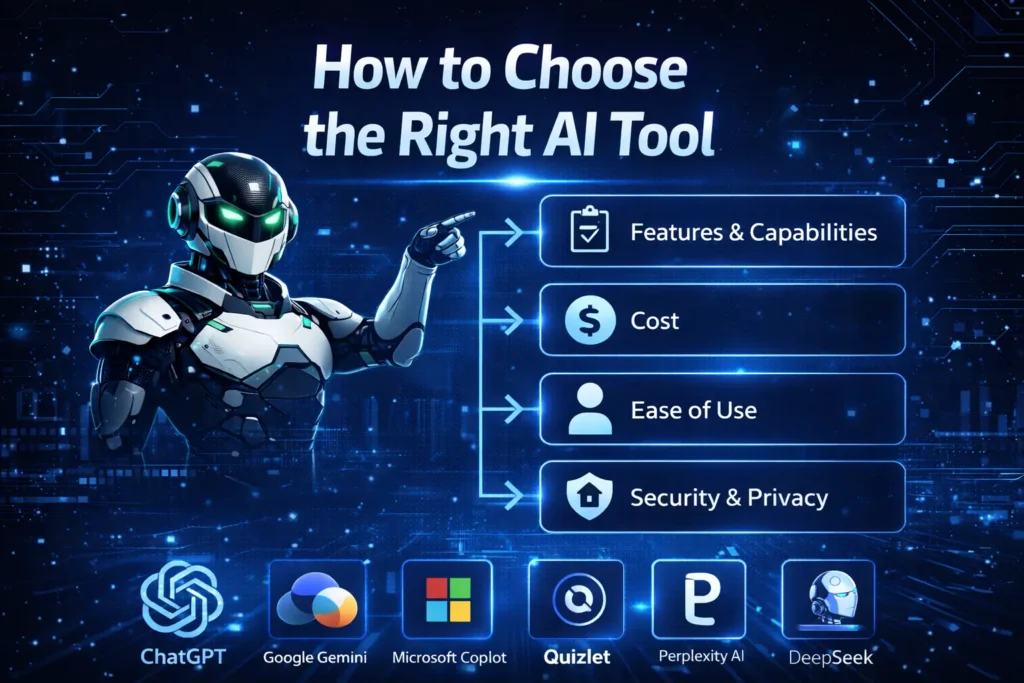
How to Choose the Right AI Tool — What to Look For
With so many options available, knowing what to prioritize when choosing an AI study tool is half the battle.
A good AI tool should simplify studying, not complicate it. The easier the tool is to use, the more likely students are to adopt it consistently — turning AI into a natural part of their study routine. Beyond ease of use, here are the key qualities that separate genuinely great student AI tools from the mediocre ones:
Accuracy and reliability — The tool must provide trustworthy information. Nothing is worse than studying with incorrect facts, especially before an exam or when writing a research paper.
Affordability — For many learners, cost is a key factor. The best options offer generous free plans or student-friendly pricing, ensuring that every student regardless of budget can benefit. Specialization — Different tools excel at different tasks. A tool that’s great for writing may not be great for math. Knowing which tool to reach for in each situation dramatically improves your results.
Privacy and safety — Any tool you use for academic work should handle your data securely. Stick to reputable, well-established platforms, especially when uploading personal notes or assignment drafts.
With those criteria in mind, let’s get into the tools.
The Best AI Tools for Students in 2026
1. ChatGPT — Best All-Round AI Study Assistant
Best for: Understanding complex topics, essay brainstorming, writing help, concept explanations Free tier: Yes — GPT-5.2 Instant, 10 messages per 5-hour window Paid plan: $20/month (Plus)
Also read: How to use ChatGPT for Free
If there’s one AI tool every student should have set up and ready to use, it’s ChatGPT. ChatGPT is an advanced AI language model that has become a go-to tool for students worldwide. It excels at generating human-like text, answering complex questions, and assisting with a wide array of writing tasks. For students, it’s like having a personal tutor and brainstorming partner available 24/7. What makes ChatGPT exceptional for students isn’t just what it can do — it’s how it does it. Ask it to explain quantum mechanics and it will break it down into plain language. Ask it to critique your essay introduction and it will give you specific, actionable feedback. Ask it to help you brainstorm a thesis statement and it will generate a dozen angles you hadn’t considered.
When using ChatGPT for learning, ask it to explain concepts as if you’re new to the subject. This simple technique consistently produces clearer, more accessible explanations that genuinely aid understanding rather than just summarizing information.
One important note: ChatGPT invents references. The paper sounds real, the author name sounds real, the journal sounds real — it isn’t. Always verify every reference in Google Scholar before submitting. Never paste a ChatGPT citation straight into a bibliography. Pro tip: Use ChatGPT to understand concepts and generate ideas, but always verify factual claims independently — especially citations and statistics.
2. Claude AI — Best for Writing-Heavy Work and Long Documents
Best for: Essays, long document analysis, nuanced writing feedback, research summaries Free tier: Yes — Claude Sonnet 4.6 Paid plan: $20/month (Pro)
Also Read: What is Calude Ai
Claude is still the best option for writing-heavy work. As of 2026, it runs Sonnet 4.6 on the free tier and handles long documents better than anything else, making it ideal for summarizing readings or getting feedback on essay structure. Where Claude genuinely stands apart from other AI tools is in the quality and nuance of its writing. Claude’s responses feel more thoughtful, more human, and more contextually aware than most alternatives. For students who need feedback on argumentative essays, literature reviews, or any writing where voice and structure matter, Claude consistently delivers superior results.
Claude’s massive context window is another game-changer for students. You can upload an entire research paper, a lengthy textbook chapter, or a complex case study and ask Claude to analyze, summarize, or answer specific questions about it — all in a single session without losing context.
Some universities have campus-wide free Claude access — Northeastern, LSE, and others — so check if your school has an institutional deal before hitting limits. Pro tip: Use Claude at claude.ai for long-form writing tasks, document analysis, and any situation where nuanced, high-quality prose matters most.
3. Google Gemini — Best for Research and Google Ecosystem Users
Best for: Real-time research, Google Workspace integration, multimodal tasks, video analysis Free tier: Yes — Gemini 2.5 Flash Student deal: Google’s student deal includes 12 months of AI Pro free — the single highest-value free plan available to students as of 2026. Check gemini.google/students with your .edu email.
For students who live inside Google’s ecosystem — Gmail, Docs, Drive, Slides — Google Gemini is arguably the most practically useful AI tool available. It doesn’t just sit in a separate tab; it integrates directly into the tools you’re already using for every assignment.
Gemini’s real-time Google Search grounding makes it significantly more reliable for research tasks than tools that rely solely on training data. When you ask Gemini a research question, it pulls from current, verified sources and tells you where that information comes from — a critical advantage when accuracy matters.
The 12-month free AI Pro deal for students with qualifying .edu emails is extraordinary value. It includes access to Gemini 3.1 Pro — one of the most capable AI models available — at zero cost for an entire academic year. If you have a university email address, checking whether you qualify takes less than a minute and could save you hundreds of dollars.
Pro tip: Check gemini.google/students with your university email immediately — you may already qualify for a full year of Gemini AI Pro completely free.
4. Perplexity AI — Best for Research and Source Verification
Best for: Academic research, fact-checking, cited answers, avoiding misinformation Free tier: Yes — generous free tier Student pricing: 50% education discount available
Students are tired of Google giving them ads, SEO spam, and random websites. Perplexity does clean research, cites sources, and gives you the foundation you need for essays and projects without wasting time. Perplexity is unlike any other tool on this list. It’s not a chatbot in the traditional sense — it’s an AI-powered search engine that gives you direct answers with every single claim linked to a verifiable source. For students writing research papers, this is transformative.
Perplexity AI is an AI-powered search engine that answers questions with inline citations from verified sources — making it the strongest free research tool for students in 2026. Toggle Academic mode and the citations come from peer-reviewed databases. Copy the sources straight into your bibliography. The Academic mode feature is particularly powerful — it restricts search results to peer-reviewed academic sources, giving you credible, citable material for research papers rather than random blog posts and opinion pieces.
Pro tip: Use Perplexity in Academic mode to build your initial research foundation, then use ChatGPT or Claude to help you analyze and synthesize what you’ve found into your own arguments.
5. Grammarly — Best AI Writing Assistant for Polishing Work
Best for: Grammar, clarity, tone, style improvements, writing confidence Free tier: Yes — covers essential grammar and spelling Student pricing: Significant discounts available with university email
Grammarly stands out as an essential writing companion for students. This AI-powered assistant reviews your writing in real time, catching grammar mistakes, suggesting better word choices, and helping you adjust tone for different audiences. Grammarly has evolved significantly beyond a simple spell-checker. In 2026, GrammarlyGO — its AI-powered upgrade — doesn’t just fix grammar; it improves arguments, tone, clarity, and helps shape paragraphs without rewriting your whole style. What makes Grammarly uniquely valuable for students is that it works everywhere — inside Google Docs, Microsoft Word, your browser, and your email. It’s passive, always-on assistance that improves your writing without requiring you to switch tabs or interrupt your workflow.
The key to using Grammarly effectively as a learning tool, rather than just a correction machine, is to engage with its suggestions actively. Don’t just accept every suggestion automatically. Review each recommendation to understand why Grammarly is suggesting the change. This helps you learn from your mistakes and become a better writer over time. Pro tip: Always use Grammarly as a final pass before submitting any written work — it catches errors that even careful proofreading misses.
6. Google NotebookLM — Best for Organizing Study Materials
Best for: Lecture notes, PDF analysis, research paper summarization, interactive Q&A with your own materials Free tier: Yes — completely free Paid plan: Available via Google One AI Premium
NotebookLM is one of the most underrated AI tools available to students in 2026, and it’s completely free. Developed by Google, it allows you to upload your own study materials — lecture notes, PDFs, research papers, textbook chapters — and then have an intelligent conversation with that specific content.
NotebookLM is an excellent AI tool for organizing your notes. It lets you upload lecture files, research papers, and documents, transforming them into a smart, interactive study assistant. Simply ask questions like “Summarize Chapter 4” or “Explain this theory in simple terms,” and NotebookLM delivers concise answers to help you revise effectively. What separates NotebookLM from using a general AI chatbot for the same task is that it only answers based on the materials you’ve uploaded. This means no hallucinated information, no answers from outside your course content — just intelligent engagement with the exact material you need to know.
One of its most impressive features is the ability to generate an audio podcast-style summary of your uploaded notes — essentially creating a personalized audio study guide you can listen to while commuting or exercising.
Pro tip: Upload all your lecture notes and readings at the start of each week and use NotebookLM as your primary revision tool — asking it questions as if it were your personal tutor for that specific course material.
7. Wolfram Alpha — Best for Mathematics and STEM Subjects
Best for: Mathematics, physics, chemistry, statistics, engineering problems Free tier: Yes — covers most standard problems Paid plan: $7.99/month (Pro) for step-by-step solutions
For any student dealing with mathematics, physics, chemistry, or any STEM subject, Wolfram Alpha is non-negotiable. Wolfram remains unbeatable for math-heavy subjects. AI chat tools still hallucinate or miscalculate. Wolfram doesn’t. While tools like ChatGPT and Claude can handle a wide range of mathematical problems, they can occasionally make calculation errors — a significant risk when precision matters. Wolfram Alpha doesn’t guess or hallucinate. It computes. Its answers to mathematical and scientific queries are reliable, precise, and verifiable.
The Pro version’s step-by-step solution feature is particularly valuable as a learning tool — not just showing you the answer, but walking you through exactly how to arrive at it, which is invaluable for understanding the underlying concepts rather than just memorizing results.
Pro tip: Use Wolfram Alpha to verify any mathematical answers you’ve generated through ChatGPT or Claude — treating AI chatbots as brainstorming tools and Wolfram as your precision calculator.
8. Otter.ai — Best for Lecture Notes and Transcription
Best for: Recording and transcribing lectures, meeting notes, study group sessions Free tier: Yes — 300 transcription minutes per month Paid plan: $16.99/month (Pro)
Every student has had the experience of missing a crucial point during a lecture because they were still writing down the previous one. Otter.ai solves this problem entirely. Otter records, transcribes, and summarizes live lectures. You can search lectures by keyword, which is something handwritten notes will never match. Open Otter on your phone at the start of a lecture, and by the time class ends you have a fully searchable, keyword-searchable transcript of everything that was said. You can go back and find exactly where your professor mentioned a specific concept, copy quotes accurately for your notes, and never worry about missing something important again.
300 transcription minutes per month on the free tier — that’s enough for most full-time students. For most undergraduates attending a standard course load of lectures, the free tier covers everything without needing an upgrade.
Pro tip: After each lecture, paste your Otter transcript into NotebookLM or Claude and ask it to generate a structured set of revision notes — combining the best of both tools for maximum efficiency.
9. Notion AI — Best for Organization and Productivity
Best for: Note organization, study planning, project management, to-do lists, writing assistance Free tier: Yes — Notion free plan with limited AI features Paid plan: $10/month (Plus, includes full AI)
Notion is already a student favourite. With AI built in, it handles the admin-heavy side of studying that drains time and focus. For students who struggle with organization — keeping track of assignments, deadlines, project notes, and research across multiple subjects — Notion AI is the closest thing to a complete academic management system. It combines a powerful note-taking app, project manager, database, and AI writing assistant in a single platform.
Notion AI can turn a messy set of bullet points into a structured outline, generate a study schedule based on your upcoming deadlines, summarize lengthy notes into concise revision cards, and help you draft everything from email drafts to essay introductions — all without leaving your workspace.
Agent-based platforms like Notion AI point to a future where students can use AI to manage ongoing study workflows, projects, and deadlines — not just one-off tasks. Pro tip: Set up a Notion workspace at the start of each semester with a page per subject. Use Notion AI at the end of each week to summarize your notes and generate a to-do list for the coming days.
10. QuillBot — Best for Paraphrasing and Writing Refinement
Best for: Paraphrasing, sentence restructuring, improving writing flow, vocabulary enhancement Free tier: Yes — limited paraphrasing modes Student pricing: $6.25/month (significant discount vs standard price)
QuillBot occupies a unique and valuable niche in the student AI toolkit. It’s not a general-purpose chatbot — it’s a specialized writing refinement tool focused specifically on helping you express your ideas more clearly and effectively.
QuillBot excels at helping you express ideas in different ways. Its paraphrasing tool can help you rewrite sentences while maintaining their original meaning, making it valuable when you need to avoid repetitive phrases. It’s also useful for improving the flow of writing that feels clunky or awkward, exploring alternative ways to phrase complex arguments, and expanding your vocabulary by seeing how the same idea can be expressed using more sophisticated language.
Use QuillBot’s paraphrasing tool to explore different ways of expressing your ideas, but always ensure the final version sounds like you. The tool works best when you start with your own writing and use it to refine — not replace — your voice. Pro tip: Always start with your own writing and use QuillBot to refine it — never use it as a replacement for thinking through your ideas first.
11. Photomath — Best for Visual Math Problem Solving
Best for: Algebra, calculus, trigonometry, arithmetic, step-by-step visual math solutions Free tier: Yes — core scanning and solving features Paid plan: $9.99/month (Plus) for animated step-by-step explanations
For students who struggle with mathematics at any level, Photomath is one of the most immediately useful tools available. The premise is brilliantly simple: point your phone camera at a math problem — handwritten or printed — and Photomath instantly identifies and solves it, showing every step of the working.
What elevates Photomath beyond a simple calculator is its educational focus. The step-by-step explanations don’t just show you the answer — they teach you the method, making it a genuine learning tool rather than just a shortcut. For students preparing for exams, working through Photomath’s solutions on similar practice problems is an effective study technique.
The animated explanations in the paid tier are particularly effective for visual learners who struggle to follow static equations — seeing each step animated in sequence can unlock understanding in a way that textbook explanations sometimes can’t.
Pro tip: Use Photomath to understand how to approach problems you’re struggling with, then try solving similar problems independently — using Photomath to verify your working rather than just copy the answer.
12. Consensus — Best for Academic Research Integrity
Best for: Research papers, evidence-based arguments, finding peer-reviewed sources, fact verification Free tier: Yes — limited searches per day Paid plan: $8.99/month (Premium)
One of AI’s most significant limitations is that it can sometimes provide false information. Consensus tackles this issue directly — in addition to answering any study queries, it cites evidence such as journal excerpts to back up its accuracy. Consensus is an AI-powered academic search tool that searches peer-reviewed scientific papers and returns evidence-based answers to research questions. Unlike general AI chatbots that might confidently give you wrong information, Consensus only answers from verified academic literature — and shows you exactly which papers support each claim.
For students writing research papers in science, medicine, psychology, or any evidence-based field, Consensus is invaluable. It dramatically accelerates the process of finding credible sources while ensuring every claim in your paper can be traced back to peer-reviewed evidence.
Pro tip: Use Consensus at the very beginning of any research paper to identify the key studies and findings in your topic area before diving deeper into individual papers.
How to Build the Perfect AI Study System in 2026
Having the right tools is one thing. Knowing how to combine them into an efficient, practical study system is what separates students who dabble in AI from those who genuinely transform their academic performance.
Seven tools, zero subscriptions, one system: research in Perplexity, math in Wolfram, writing in Claude — every tool earns its spot. You rotate between them so you never hit a single limit. Result: full coverage, zero subscriptions, three times the free capacity. Here’s a practical workflow for different academic tasks:
For Writing an Essay
- Perplexity AI (Academic mode) — Initial research and source gathering
- Consensus — Find peer-reviewed evidence for your key arguments
- ChatGPT or Claude — Brainstorm thesis angles and essay structure
- Claude — Get detailed feedback on your draft
- Grammarly — Final polish before submission
For Studying for Exams
- Otter.ai — Transcribe and record all lectures throughout the semester
- NotebookLM — Upload all notes and materials, practice Q&A sessions
- ChatGPT — Get explanations for concepts you’re struggling with
- Quizlet — Generate flashcards from your key concepts
- Wolfram Alpha / Photomath — Work through practice problems with step-by-step guidance
For Research Projects
- Perplexity AI — Broad topic exploration with cited sources
- Consensus — Academic paper discovery and evidence gathering
- NotebookLM — Upload and organize all research materials
- Claude — Synthesize findings and help structure your analysis
- Notion AI — Keep the project organized, deadlines tracked, and notes structured
AI Tools and Academic Integrity — What Every Student Needs to Know
No guide to AI tools for students in 2026 would be complete without an honest conversation about academic integrity.
Many universities now use Turnitin’s AI module or GPTZero to scan submitted work for AI-written content. Submitting AI-generated text as your own work without disclosure violates academic integrity policies at most institutions and can have serious consequences.
Use AI as a learning aid, not a shortcut. AI should enhance your learning, not replace it. Here’s a practical framework for using AI ethically as a student:
Allowed in most institutions: Using AI to understand concepts, brainstorm ideas, get feedback on drafts, improve grammar, research topics, and organize notes.
Check your institution’s policy on: Using AI to help structure or draft essays, using AI to paraphrase sources, using AI for take-home assignments.
Not acceptable anywhere: Submitting AI-generated text as your own work, using AI to complete exams or assessments, having AI write your thesis or dissertation without disclosure.
When in doubt, ask your professor. Most educators in 2026 have developed nuanced policies that distinguish between using AI as a learning tool and using it as a substitute for your own thinking. Transparency and disclosure go a long way.
Free vs Paid — Do Students Need to Pay for AI Tools?
The honest answer is: for most students, the free tiers available in 2026 are more than sufficient.
Start free, upgrade with purpose — free tools cover the essentials, while paid plans make sense when they meaningfully save time or improve quality during heavy coursework. Here’s a breakdown of what you can get completely free:
- ChatGPT free tier — 10 messages per 5-hour window on GPT-5.2 Instant, unlimited on Mini
- Claude free tier — Access to Claude Sonnet 4.6, excellent for writing
- Google Gemini — Free tier plus potentially 12 months of AI Pro free with .edu email
- Perplexity AI — Generous free tier covering most research needs
- Grammarly — Free tier covers essential grammar and clarity checks
- NotebookLM — Completely free
- Wolfram Alpha — Free tier handles most standard problems
- Otter.ai — 300 minutes/month free
- QuillBot — Basic paraphrasing free
That’s nine powerful AI tools, all available at zero cost. For the vast majority of students, this free combination covers everything needed for a full academic workload.
The only scenarios where paying genuinely makes sense are if you need unlimited, uninterrupted AI access throughout the day, if you’re doing intensive research that requires academic paper databases, or if you regularly hit free tier limits and find yourself planning usage around resets.
Final Thoughts — The Students Who Win in 2026
The AI revolution in education isn’t coming — it’s already here. And the students who thrive aren’t the ones who resist it out of principle or surrender to it by letting AI think for them. The students winning in 2026 aren’t the ones studying the longest. They’re the ones using the right AI tools to remove friction, clear confusion fast, and stay consistent. You still have to think. The tools in this guide — ChatGPT, Claude, Gemini, Perplexity, Grammarly, NotebookLM, Wolfram Alpha, Otter.ai, Notion AI, QuillBot, Photomath, and Consensus — represent the best that AI has to offer students right now. Most of them are free. All of them are powerful. And together, they form a study system that can genuinely transform your academic performance.
The students who will thrive are those who view AI as a powerful tool for enhancing their capabilities, not replacing their effort. By learning to use these tools ethically and strategically now, you’re developing skills that will serve you throughout your academic journey and into your professional career. The best students in 2026 aren’t just smart. They’re smart about the tools they use. And now you are too.
Found this guide useful? Share it with a classmate — the best study hack is a good study partner, and now you’ve both got the full toolkit.