What is a VPN and Do You Really Need One in 2026?
Few tech products are as heavily marketed — and as widely misunderstood — as the VPN. Open YouTube, listen to a podcast, or scroll through social media, and you’ll encounter VPN ads everywhere. They promise to make you invisible online, protect you from hackers, stop government surveillance, and unlock content from anywhere in the world. Some of those claims are true. Some are wildly exaggerated. And knowing the difference is genuinely important before you spend money on one.
VPN companies spend enormous amounts on advertising, sponsoring podcasts, YouTube channels, and social media influencers with claims that range from perfectly accurate to wildly misleading. Some ads suggest that without a VPN, hackers will steal your passwords at every coffee shop, your ISP will sell your browsing history to the highest bidder, and government agencies are monitoring your every click. The reality is more nuanced — VPNs are genuinely useful tools in specific situations, but they are not the universal digital shield that marketing campaigns want you to believe.
This guide cuts through the marketing noise and gives you a clear, honest answer to the most important questions about VPNs in 2026: what they actually are, how they really work, when they genuinely protect you, when they don’t, and whether you personally need one. By the end, you’ll be able to make an informed decision — not one driven by fear or influencer sponsorships.
What is a VPN?
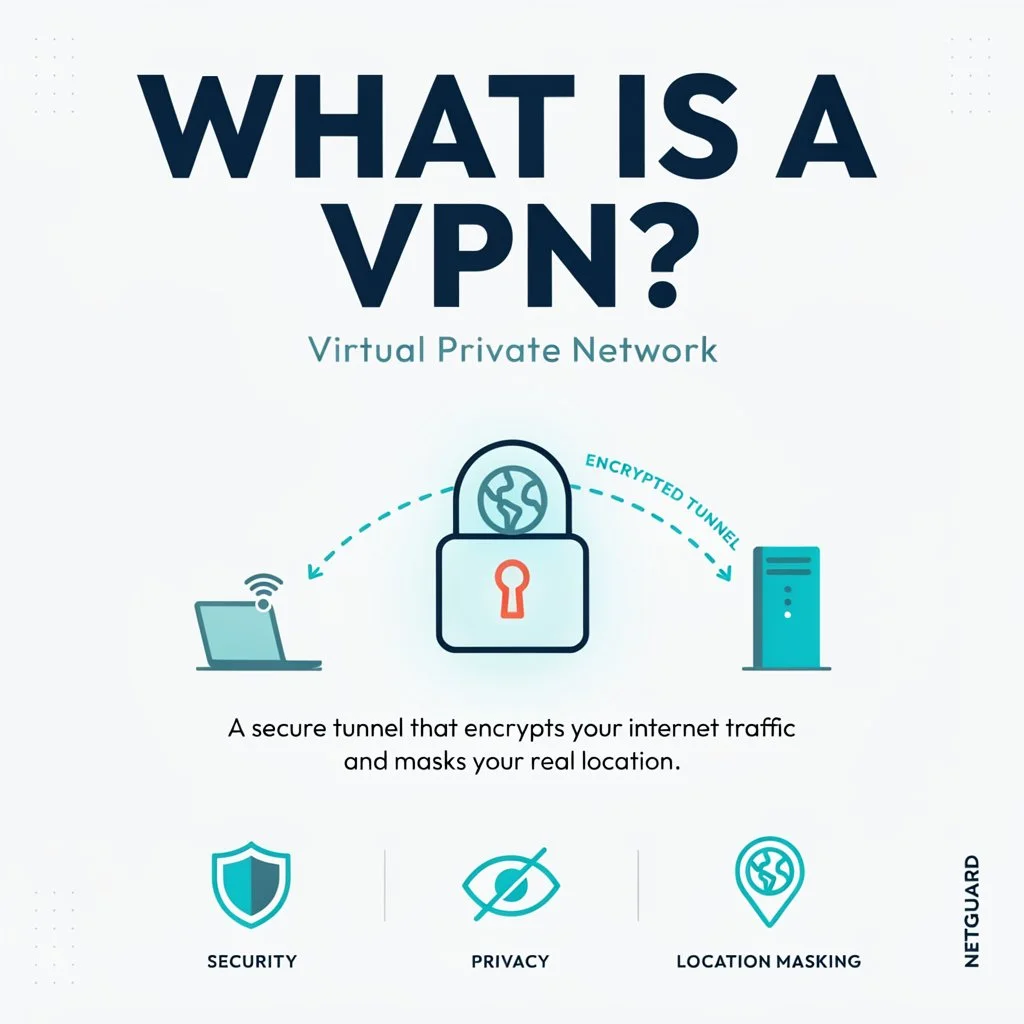
A VPN is a virtual private network that encrypts your connection and assigns you a new IP address by routing your data through one of its servers. Your online identity and activities are private — essential when using public WiFi.
In plain English: when you normally browse the internet, your data travels directly from your device to the website you’re visiting — and anyone watching that connection can see what you’re doing. Your internet service provider (ISP), network administrators, and potentially other users on the same network can monitor your traffic.
When you connect to a VPN server, it establishes a VPN tunnel — an encrypted connection between the VPN server and the internet. Any information passing through that encrypted connection, such as your browsing data, is completely unreadable, so nobody can spy on it.
A VPN accomplishes two specific things: it prevents anyone on your local network from seeing what you are doing online, and it makes websites and services see the VPN server’s IP address instead of your real one. Understanding these two functions — and their limitations — is the key to deciding whether you actually need one.
Think of it like sending a letter in a locked box rather than an open envelope. The VPN encrypts your data — locking the box — and routes it through its own server, so the destination only sees the VPN’s address, not yours.
How Does a VPN Work — Step by Step?
Understanding the technical process demystifies VPNs considerably.
You still need to connect to the internet via your ISP, which assigns you an IP address. But when you connect to a VPN, it assigns you an IP address that coincides with the location of the VPN server. Your website request is now routed through the VPN server, which means any website you visit will only see your VPN IP address, not your real one.
Here’s the step-by-step process every time you connect through a VPN:
Step 1 — You open your VPN app and connect to a server — in New York, London, Tokyo, or wherever you choose.
Step 2 — Your device creates an encrypted tunnel to that VPN server. All your internet traffic from this point travels through this tunnel.
Step 3 — Your VPN app encrypts your data before it even leaves your device — meaning your ISP can see you’re using a VPN, but cannot see what you’re doing online.
Step 4 — The VPN server receives your encrypted request, decrypts it, and forwards it to the website or service you’re trying to reach.
Step 5 — The website sees the VPN server’s IP address — not yours. It sends its response back to the VPN server.
Step 6 — The VPN server encrypts the response and sends it back through the tunnel to your device. You receive the content privately and securely.
The entire process happens in milliseconds. To you, it feels like normal browsing — just with an added layer of privacy and security wrapping every interaction.
What Does a VPN Actually Protect You From?
This is where honest VPN education becomes most valuable — because the answer is more specific than most marketing suggests.
Public Wi-Fi Threats — VPNs Genuinely Help
Public Wi-Fi networks represent the strongest use case for VPNs. When you connect to Wi-Fi at coffee shops, airports, hotels, or any shared network, other users on that network can potentially monitor your traffic. While most websites now use HTTPS encryption that protects the content of your communications, a VPN adds an additional layer that prevents anyone on the same network from seeing which websites you visit. If you regularly work with sensitive information on public networks, a VPN is a reasonable and worthwhile precaution.
This is the most clear-cut, undeniable benefit of using a VPN. On a public network — a coffee shop, airport, hotel, library — other people on that same network can potentially intercept your traffic. A VPN encrypts everything before it leaves your device, making interception effectively impossible.
ISP Monitoring and Throttling
VPNs offer enhanced digital privacy by encrypting your internet traffic and masking your IP address, protecting against various online risks. Beyond the privacy benefits, VPNs can contribute to a smoother online experience by helping avoid issues like internet service provider throttling.
Your ISP can see every website you visit, every service you use, and how much bandwidth you consume — and some ISPs deliberately throttle (slow down) connections for specific services like streaming or torrenting. Using a VPN hides your traffic from your ISP, so they can’t slow down your connection based on what you’re doing online.
Geographic Content Restrictions
One of the most popular reasons people use VPNs is accessing content unavailable in their country. A VPN can be used to access content from anywhere without interruption, such as Netflix, BBC iPlayer, and Hulu. By connecting to a server in a different country, you appear to be browsing from that location — unlocking content libraries, streaming services, and websites restricted in your region.
Remote Work Security
39% of Americans use VPNs for work. With remote work increasing exponentially, many businesses use VPNs to give digital employees, telecommuters, and remote workers access to their networks.
Business VPNs connect remote employees to a private network containing digital resources — files, applications, tools, or internal systems. By using a VPN, employees can get secure access to these resources, and employers don’t need to worry about company documents or systems getting compromised.
For remote workers accessing sensitive company systems, a VPN is often a non-negotiable security requirement rather than an optional extra.
What a VPN Does NOT Protect You From
This is the part most VPN marketing conveniently skips. Understanding these limitations is just as important as understanding the benefits.
Malware and viruses — A VPN encrypts your connection but cannot protect you from downloading malicious software. If you click a phishing link and download malware, the VPN does nothing to stop it. You still need antivirus software for this.
Phishing attacks — A VPN doesn’t make it harder for scammers to deceive you into entering your credentials on a fake website. Human judgment and browser security tools handle this — not VPNs.
Data you voluntarily share — If you’re logged into Google, Facebook, or any other account, those companies still know exactly who you are and what you’re doing — regardless of your VPN. A VPN hides your IP address, not your account identity.
Complete anonymity — VPNs significantly improve privacy but don’t make you completely anonymous online. Cookies, browser fingerprinting, account logins, and behavioral tracking can still identify you across sites.
Illegal activities — Using a VPN doesn’t make illegal activities legal or untraceable. Law enforcement can request user data from VPN providers, and even no-logs VPNs leave other digital trails.
The No-Logs Policy — Why It Matters
The most important feature to look for in any VPN — beyond encryption strength and speed — is a verified no-logs policy.
All the top VPNs in 2026 have a strict no-logs policy, which details all of the data the VPN does and doesn’t collect. A VPN protects your online privacy by hiding your traffic and preventing anyone from tracking your IP address. However, to actually guarantee your internet privacy, the VPN needs to have a no-logs policy. What sets VPNs apart from one another and ensures your privacy is protected is whether the no-logs policy has been verified by an external source.
A no-logs policy means the VPN provider doesn’t store records of your browsing activity, connection timestamps, or IP addresses. If they keep no logs, they have nothing to hand over even if compelled by law enforcement. ExpressVPN, Private Internet Access, CyberGhost VPN, Proton VPN, TunnelBear, and VyprVPN have all had their no-logs policies independently audited and confirmed by a third-party security firm.
Always choose a VPN with an independently audited no-logs policy — not just a self-declared one.
Free VPNs — Are They Safe?
Free VPNs are tempting, but most come with serious caveats worth understanding before downloading one.
The fundamental problem with free VPNs is the business model question: if you’re not paying for the product, how is the company making money? In many cases, the answer is that your data is the product. Some free VPNs log your browsing activity and sell it to advertisers — the exact privacy violation a VPN is supposed to prevent.
Other issues with free VPNs include severely limited server options, data caps that make them impractical for regular use, slower speeds due to overcrowded servers, and weaker encryption standards than premium alternatives.
There are exceptions — Proton VPN’s free tier is genuinely trustworthy, backed by the same Swiss privacy infrastructure as the paid version, with no data caps and verified no-logs policy. But Proton VPN is the exception, not the rule.
The general guidance: if you’re going to use a VPN for anything beyond basic occasional use, a paid premium VPN is worth the modest investment — most quality options cost $3–$5 per month billed annually.
Best VPNs in 2026 — Quick Overview
While a full VPN comparison deserves its own dedicated guide, here’s a quick overview of the top performers in 2026:
NordVPN — The most popular premium VPN globally. Fast speeds, 6,000+ servers in 111 countries, double VPN for extra security, and independently audited no-logs policy. During speed tests, NordVPN retained as much as 96% of original download speed — exceptional for a VPN.
ExpressVPN — Premium pricing but premium performance. Consistently fast across all server locations, strong unblocking capabilities for streaming, and one of the most trusted no-logs policies in the industry.
Proton VPN — The privacy-first choice, built by the team behind Proton Mail. Swiss jurisdiction, open-source apps, and a genuinely usable free tier make it the most trustworthy option for privacy-conscious users.
Surfshark — Best value for multi-device households. Unlimited simultaneous connections on a single subscription, strong security features, and competitive pricing.
CyberGhost — Best for streaming, with dedicated servers optimized for Netflix, Disney+, BBC iPlayer, and other major platforms. Extensive server network with 9,000+ servers worldwide.
VPN Speeds — Will It Slow Down Your Internet?
This is a common concern, and the honest answer is: yes, a VPN does add some overhead — but with quality providers the impact is minimal.
There are several effective ways to increase internet speeds while connected to a VPN, like choosing a server closer to you or closing background apps you don’t need. Premium VPNs like NordVPN only have minimal speed decreases — retaining as much as 96% of original download speed in testing.
For everyday browsing, video calls, and streaming — the speed difference with a quality VPN is essentially imperceptible. For extremely latency-sensitive activities like competitive online gaming, the added milliseconds of routing through a VPN server can occasionally be noticeable, though many modern VPNs have optimized gaming server options that minimize this.
The speed impact of free VPNs is significantly worse than premium options due to overcrowded servers — another practical reason to choose a paid service if speed matters to you.
Are VPNs Legal?
In most countries, using a VPN is completely legal. However, some countries regulate or outright ban virtual private networks — for example, Iran was planning to restrict the sale of VPNs. Countries with significant VPN restrictions include China, Russia, North Korea, Belarus, and a handful of others.
Even in countries where VPNs are restricted, the legal risk typically falls on VPN providers operating within those jurisdictions rather than individual users — though this varies and should be researched carefully for your specific location.
In Western countries — the US, UK, EU, Canada, Australia — VPN usage is entirely legal. Using a VPN to engage in illegal activities remains illegal regardless of where you are or what tool you’re using to do it.
Do YOU Actually Need a VPN in 2026?
Here’s the honest, practical answer broken down by user type:
You definitely need a VPN if:
- You regularly use public Wi-Fi at cafés, airports, hotels, or libraries
- You work remotely and access company systems or sensitive data
- You live in or travel to countries with internet censorship or surveillance
- Privacy from your ISP matters to you
- You want to access geo-restricted streaming content from other countries
- You’re a journalist, activist, or anyone whose browsing could be sensitive
A VPN is worth considering if:
- You regularly travel internationally and want consistent access to your home services
- You want an extra privacy layer for general browsing even at home
- You use torrents and want to prevent ISP throttling
You can probably skip a VPN if:
- You only ever browse on your home network and never use public Wi-Fi
- You don’t access geo-restricted content and have no ISP throttling concerns
- Basic HTTPS encryption on modern websites is sufficient for your needs
- Budget is a significant constraint — there are higher-priority security tools
VPN vs Other Privacy Tools — What’s the Difference?
VPN vs Antivirus — These serve completely different purposes and complement each other. A VPN protects your network connection and privacy. Antivirus protects against malware and malicious software. You need both for comprehensive protection — one doesn’t replace the other.
VPN vs Incognito Mode — Incognito mode prevents your browser from saving your history locally. It does nothing to hide your activity from your ISP, network administrators, or websites you visit. A VPN addresses all of those — incognito mode does not.
VPN vs Proxy — A proxy changes your IP address but doesn’t encrypt your traffic. A VPN does both. For any security-conscious use case, a VPN is the superior choice.
VPN vs Tor — Tor provides stronger anonymity than a VPN by routing traffic through multiple layers of encryption across several volunteer-operated servers. However, it’s significantly slower and more complex to use. For most everyday users, a VPN is the practical choice. Tor is better suited to high-risk privacy situations.
How to Choose the Right VPN — Checklist
When evaluating any VPN, run through this checklist:
✅ Independently audited no-logs policy — Self-declared isn’t enough. Look for third-party verification.
✅ Strong encryption — AES-256 or ChaCha20. Non-negotiable for any serious security use.
✅ Kill switch — Automatically cuts your internet connection if the VPN drops, preventing your real IP from being exposed.
✅ DNS leak protection — Ensures your DNS queries are routed through the VPN and not exposed to your ISP.
✅ Server coverage — Enough servers in locations relevant to your use case.
✅ Speed performance — Check independent speed tests, not just the provider’s own claims.
✅ Platform support — Works on all your devices — Windows, Mac, iOS, Android.
✅ Price and refund policy — Most quality VPNs cost $3–$6/month billed annually. Look for a 30-day money-back guarantee for risk-free testing.
Final Thoughts
The answer is yes — a VPN is a critical tool for helping to protect your privacy on the web. But it’s important to understand what that means in practice.
A VPN is not a magic shield that makes you completely anonymous and invulnerable online. It’s a specific, targeted tool that encrypts your connection, hides your IP address, and protects your traffic from the specific threats it’s designed to address — public Wi-Fi snooping, ISP monitoring, geographic restrictions, and remote work security.
Used in combination with strong passwords, a password manager, antivirus software, and good digital hygiene, a VPN is a genuinely valuable component of a comprehensive online security toolkit. Used in isolation as a substitute for those other practices, it will disappoint.
The bottom line for 2026: if you regularly use public Wi-Fi, value your privacy from your ISP, work remotely, or want access to geo-restricted content — a VPN is worth every cent of the $3–$5 per month a quality service costs. If none of those apply to your life, it’s an optional extra rather than an essential.
Know what you need it for. Choose a reputable provider with verified no-logs. And enjoy a meaningfully more private internet experience.
Thinking about getting a VPN? Start with a provider offering a 30-day money-back guarantee — most top VPNs offer one, so you can test it risk-free before committing.