What is RAM and How Much Do You Need in 2026? — The Complete Guide
RAM is one of those computer specs that everyone talks about but most people don’t fully understand. When you’re buying a new laptop, desktop, or phone, the RAM figure is right there on the spec sheet — 8GB, 16GB, 32GB — and it’s supposed to mean something. But what exactly does it mean? And more importantly, how much do you actually need?
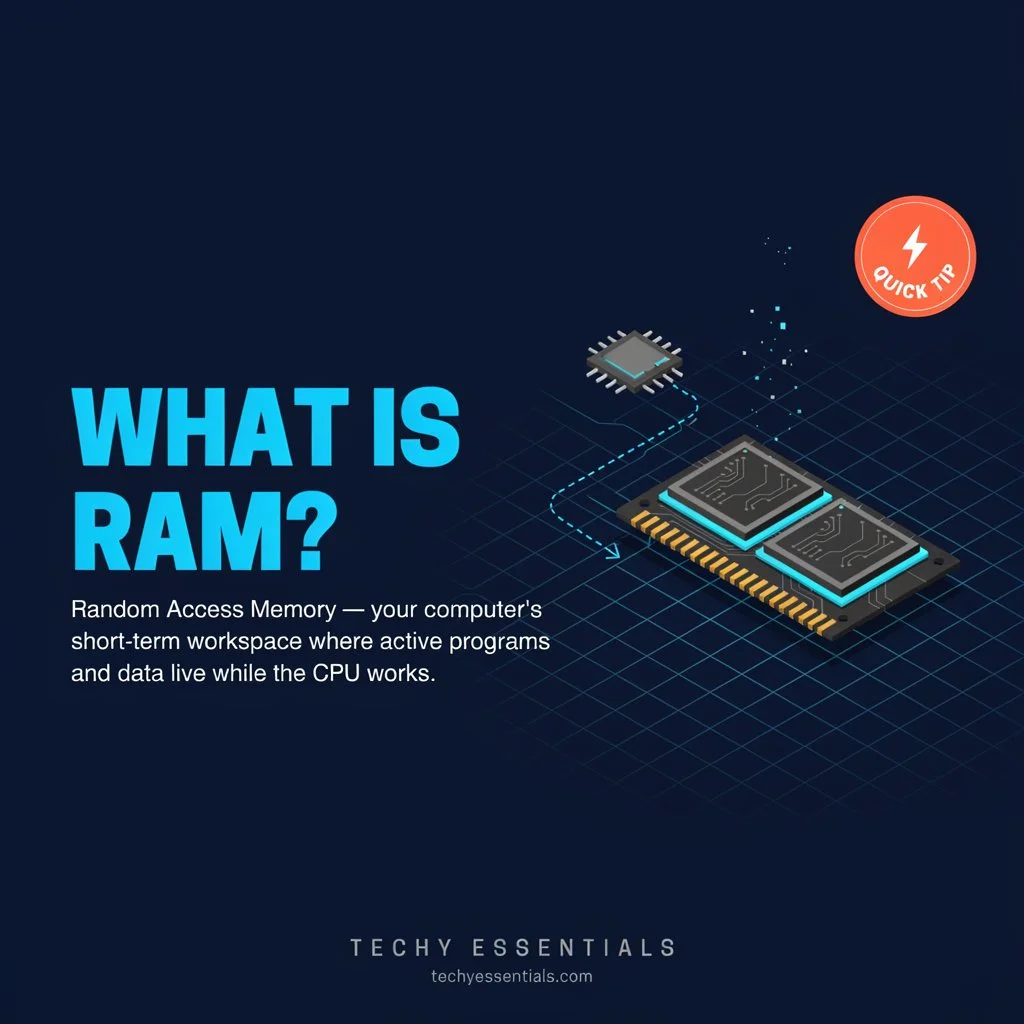
RAM is arguably the most misunderstood spec on a sheet. Buyers routinely confuse Random Access Memory with storage, but choosing the wrong memory capacity will significantly limit daily performance.
The confusion is understandable. RAM, storage, and processing power are all interconnected, and marketing doesn’t always help clarify the differences. This guide gives you a clear, complete, and genuinely practical understanding of what RAM is, how it works, and exactly how much you need based on how you actually use your device — whether you’re a casual browser, a gamer, a creative professional, or a developer.
No jargon, no unnecessary technical depth. Just the information you need to make a smart decision.
What is RAM — In Plain English?
RAM — Random Access Memory — is your PC’s working memory. It’s where your operating system, apps, and games load the data they need right now. When it gets full, the OS starts using part of your hard drive or SSD as a substitute, which is dramatically slower.
Here’s the simplest possible analogy: think of your computer as a desk in an office. Your storage (hard drive or SSD) is the filing cabinet — it holds everything long-term, even when the power is off. Your RAM is the actual desk surface — the space where you spread out the documents, files, and tools you’re actively working with right now. A bigger desk means you can have more things out and accessible simultaneously without constantly getting up to fetch files from the cabinet.
When your RAM runs out, your computer starts doing exactly that — fetching data from much slower storage to compensate. The result is the sluggishness, freezing, and lag that most people have experienced at some point when a computer “runs out of memory.”
RAM vs Storage — The Most Important Distinction
Before going any further, it’s essential to understand the difference between RAM and storage — because confusing them is one of the most common tech misunderstandings.
RAM (Random Access Memory):
- Temporary, fast working memory
- Holds data your computer is actively using right now
- Loses all data when power is turned off
- Measured in GB — typically 8GB to 64GB on consumer devices
- Determines how many things you can do simultaneously without slowdown
Storage (HDD or SSD):
- Permanent memory that holds all your files, apps, and operating system
- Data persists when the power is off
- Much slower to access than RAM
- Measured in GB or TB — typically 256GB to 2TB on consumer devices
- Determines how much you can store, not how fast things run
When someone says their computer is “slow because it’s running out of memory” — they almost always mean RAM, not storage. When someone says their computer is “full” and they can’t save anything — that’s storage.
Both matter, but they solve completely different problems.
How Does RAM Actually Work?
When you open an application — Chrome, Word, a game, Photoshop — your computer loads that program from storage into RAM so the processor can access it quickly. The processor works with RAM thousands of times faster than it can work with storage, which is why programs feel instant once loaded versus the slight delay when they first open.
When you launch a game, assets like textures, maps, character models, and game logic are loaded into RAM, enabling your system to retrieve them fast without constantly pulling from storage. The same principle applies to every application you run.
Every open browser tab, every running background app, every active window is consuming a slice of your RAM. When all your RAM is occupied and you try to open something new, your system either has to close something else, or it starts using “virtual memory” — a portion of your SSD or hard drive that pretends to be RAM. Virtual memory is dramatically slower than actual RAM, which is why a RAM-starved computer feels sluggish and unresponsive.
Types of RAM — DDR4 vs DDR5
In 2026, two generations of RAM are in active use across consumer devices:
DDR4
DDR4 is the previous generation of RAM, still found in millions of devices. It’s mature, widely available, affordable, and performs excellently for most everyday computing tasks. Many budget and mid-range laptops and desktops still ship with DDR4 in 2026.
DDR5
DDR5 is the current generation, now standard in most new mid-range and premium devices. DDR5 offers higher bandwidth and lower power consumption than DDR4, making it the standard for new builds in 2026. It’s faster, more efficient, and better suited for memory-intensive tasks like gaming at high settings, video editing, and AI workloads.
32GB DDR5 is the sweet spot for gaming with simultaneous streaming, light video editing, and software development.
For most buyers in 2026, the practical guidance is simple: if you’re buying a new device, prefer DDR5 where available at a comparable price. If you’re upgrading an existing system, you’re almost certainly constrained to whatever generation your motherboard supports.
RAM Speed and Dual-Channel — Do They Matter?
Beyond capacity, RAM has two other specs worth understanding: speed and channel configuration.
RAM Speed — measured in MHz (e.g., DDR5-4800, DDR5-6000). Faster RAM can provide modest performance improvements in CPU-bound tasks — particularly in gaming where the CPU and RAM work closely together. However, moving from 16GB to 32GB typically yields larger real-world performance improvements than moving from slower to faster RAM at the same capacity. Capacity matters more than speed for most users.
Dual-Channel — Running two RAM sticks of equal capacity rather than one single stick enables dual-channel mode, which effectively doubles the memory bandwidth available to your processor. This provides meaningful performance improvements — particularly in gaming and memory-intensive applications — at no additional cost if you’re buying the same total capacity. Two 8GB sticks outperform one 16GB stick.
How Much RAM Do You Need in 2026?
This is the question most people actually came here to answer. For most users in 2026, 16GB of RAM is the recommended standard for friction-free multitasking. While 8GB remains the baseline for basic computing, 32GB is better suited for those who run complex creative workflows, heavy gaming, or local AI PC tasks.
Here’s the complete breakdown by user type:
8GB RAM — Bare Minimum Only
In 2026, 8GB of RAM should be considered the bare minimum. The system works, but without backup. Any additional load can cause clipping. That’s why 8GB RAM is a budget solution today, not an optimal one.
Eight gigabytes represents the absolute minimum for modern Windows laptops in 2026, suitable only for light, focused computing. Users who primarily browse websites with moderate tab counts, edit simple documents, check email, and stream video can function with 8GB — but with limited multitasking headroom.
The problem with 8GB in 2026 is context. The operating system alone — Windows 11 — can consume about 3–5GB of RAM right from startup. Then there’s the web browser — 5–10 open tabs is another 1.5–3GB. Add a video call, a music streaming app, and an antivirus running in the background — and an 8GB system is already at its limit before you’ve opened a single productivity app.
Running a video call while presenting a dense slide deck with a browser open in the background pushes an 8GB system to its limits.
Who 8GB is acceptable for: Chromebooks and lightweight web-based workflows, very basic document editing with minimal multitasking, secondary devices used for single tasks.
Who should avoid 8GB: Anyone using Windows 11 as their primary computer for general multitasking, gaming, creative work, or any professional workflow.
16GB RAM — The Sweet Spot for Most People
For the average user, 16GB RAM is the most reasonable choice in terms of price/performance ratio. In practice, 16GB of RAM allows you to use your computer without constantly watching memory consumption. This is the golden mean for office work, studying, medium-level programming, and gaming. For about 90% of home and office users, it is the best choice.
16GB DDR4/DDR5 covers 1080p/1440p gaming in 2026, multitasking, and basic streaming with OBS — the sweet spot for most users.
16GB handles the real-world computing most people actually do: dozens of browser tabs, video calls, Office apps, music streaming, casual gaming, and moderate creative work — all simultaneously without performance compromise. It’s the configuration that lets you work without thinking about memory management.
Everyday browsing and light office work: 16GB is the practical baseline for smooth multitasking in 2026.
Who 16GB is right for: Students, professionals doing office work and research, casual to moderate gamers, general home users, developers doing light to medium work, content consumers and social media users.
32GB RAM — The New Gaming and Creative Standard
32GB of RAM is an advanced level. Not everyone needs it, but in certain scenarios the difference is clear.
Gaming: 32GB is the new sweet spot for modern titles and background apps. Streamers and heavy multitaskers should get 32GB to keep game, encoder, chat, and browser stable simultaneously.
In 2026, Chrome alone can consume over 2GB with 20 tabs open. A game like Hogwarts Legacy recommends 16GB. If you also have Discord, OBS, Spotify, and an antivirus in the background — 8GB runs out of headroom in minutes.
For gamers who also stream, 32GB has become essentially non-negotiable. Running a game alongside OBS (streaming software), Discord, a browser with stream overlays, and background system processes easily pushes past 16GB of consumption during peak usage.
For creative professionals working with HD video editing, photo editing in Lightroom and Photoshop with large files, or audio production with sample libraries — 32GB provides the headroom needed for smooth, uninterrupted workflows.
Creative apps for photo and video: 32GB is recommended for HD workflows.
Who 32GB is right for: Serious gamers (especially those who stream), video editors working in HD, photographers working with large RAW files, developers running virtual machines or multiple development environments, heavy multitaskers who always have dozens of apps and tabs open simultaneously.
64GB RAM — Professional Creative and Developer Workloads
64GB DDR5 covers professional 4K video editing, 3D rendering, workstations with multiple virtual machines, and local AI with medium models (7B–13B parameters).
64GB is the territory of professional creative work at the highest level — 4K and 8K video editing in Premiere Pro or DaVinci Resolve, complex 3D animation and VFX in Blender or Cinema 4D, architectural visualization, and serious software development with multiple virtual machines running simultaneously.
Creative apps for 4K and heavier After Effects compositing workflows: 64GB is recommended.
One increasingly relevant use case in 2026 is local AI. Running large language models locally on your machine — for privacy, speed, or offline access — requires substantial RAM. Local AI with medium models in the 7B–13B parameter range benefits significantly from 64GB of RAM.
Who 64GB is right for: Professional video editors working in 4K+, 3D artists and VFX professionals, serious developers running multiple VMs, data scientists and researchers, local AI enthusiasts running medium to large models.
128GB+ RAM — Specialized Professional and Server Use
128GB and above covers servers, scientific workstations, local AI with large models of 70B parameters and above, and music production with massive sample libraries.
128GB and beyond is the realm of specialized professional workstations, scientific computing, enterprise servers, and enthusiasts running the largest local AI models. For the overwhelming majority of consumers, this is far beyond anything that would provide practical benefit.
Who 128GB+ is right for: Data scientists running massive simulations, AI researchers running large local models, enterprise server administrators, music producers with enormous sample libraries, and professionals in highly specialized scientific and engineering fields.
RAM Requirements by Device Type
Laptop RAM in 2026
For most users in 2026, 16GB represents the sweet spot for laptops — adequate for current needs while providing reasonable headroom for software evolution. Creative professionals and power users should strongly consider 32GB, while specialized professionals know from experience when they require 64GB or more.
One important laptop-specific consideration: many modern laptops — particularly Apple Silicon Macs and some ultrabooks — have RAM soldered directly to the motherboard. This means you cannot upgrade RAM after purchase. Always buy the RAM you’ll need for the device’s lifetime, not just what seems adequate today.
Gaming PC RAM in 2026
Gaming: 32GB is the new sweet spot for modern titles and background apps. 16GB still works for budget builds but with less headroom.
Even in 2026, 16GB is still enough for 95% of games. Titles like Fortnite, Battlefield 6, and Cyberpunk 2077 all recommend 16GB. Adding more RAM is going to do virtually nothing for FPS in these titles. However, with background apps — Discord, game launchers, streaming software, browser tabs — 32GB provides the headroom that makes gaming more comfortable and future-proof.
Mac RAM in 2026
Apple Silicon Macs (M3, M4 series) use unified memory — a shared pool of RAM that serves both CPU and GPU. Apple’s memory architecture is significantly more efficient than traditional PC RAM, meaning 16GB of Apple Silicon unified memory often performs like 24–32GB in comparable PC workloads. Still, for professional creative work on Mac, 32GB or more remains advisable.
Smartphone RAM in 2026
Smartphone RAM works differently from PC RAM — mobile operating systems are far more aggressive about managing memory. However, more RAM still means more apps stay loaded in the background and multitasking feels smoother. In 2026, 8GB is the practical minimum for flagship Android phones, with 12GB being common and 16GB appearing on premium models. iPhone’s memory management is so efficient that Apple can achieve flagship-tier performance with less RAM than comparable Android devices.
Signs Your Computer Needs More RAM
Not sure if your RAM is the bottleneck? Here are the clear signs:
Constant slowdowns when multitasking — If your computer slows dramatically when switching between apps or adding new browser tabs, RAM is likely the constraint.
High RAM usage in Task Manager — On Windows, open Task Manager (Ctrl+Shift+Esc), go to the Performance tab, and check RAM usage. If you’re regularly above 80% during normal use, more RAM would help.
Apps crashing or becoming unresponsive — Frequent crashes during normal use — particularly when multiple apps are open — often indicate insufficient RAM.
Browser tabs reloading — If browser tabs reload their content when you switch back to them, your browser is unloading them from RAM to free space — a clear sign you need more.
Slow program loading — Programs that take unusually long to open are often competing for limited RAM resources.
How to Check Your Current RAM
Before buying more RAM, it’s worth knowing exactly what you have:
On Windows: Press Windows + R, type “dxdiag,” press Enter, and look at the Memory figure. Or open Task Manager → Performance → Memory for more detail including speed and slots used.
On Mac: Click the Apple menu → About This Mac → Memory.
On Android: Settings → About Phone → RAM (varies by manufacturer).
On iPhone: Apple doesn’t display RAM in settings — you need a third-party app like CPU-Z or can check via Apple’s spec pages for your model.
Can You Upgrade Your RAM?
Whether you can upgrade RAM depends entirely on your device:
Desktop PCs — Almost always upgradeable. Most desktop motherboards have 2–4 RAM slots, and upgrading is typically straightforward and affordable.
Laptops — Many modern laptops have soldered RAM that cannot be upgraded. Before buying, check whether your laptop’s RAM is soldered or in removable slots. Older and budget laptops are more likely to have upgradeable RAM.
Macs — Apple Silicon Macs (M1 and later) have soldered unified memory — cannot be upgraded after purchase. Intel Macs from before 2019 often had upgradeable RAM.
Smartphones and tablets — RAM is always soldered to the motherboard and cannot be upgraded.
Quick Reference — How Much RAM Do You Need?
| User Type | Recommended RAM | Notes |
|---|---|---|
| Basic browsing, email, documents | 16GB | 8GB absolute minimum |
| Student — general use | 16GB | Future-proof choice |
| Office professional | 16GB | Comfortable for all office tasks |
| Casual gamer | 16GB | Fine for most titles |
| Serious gamer | 32GB | New sweet spot in 2026 |
| Gamer + streamer | 32GB | Non-negotiable for streaming |
| HD video editor | 32GB | Minimum for smooth workflow |
| 4K video editor | 64GB | Recommended |
| Software developer | 32GB | 64GB if running VMs |
| 3D artist / VFX | 64GB | 128GB for large scenes |
| Data scientist / AI | 64–128GB | Depends on model size |
| Server / enterprise | 128GB+ | Workload dependent |
Final Thoughts
RAM is just one component of system performance. A well-balanced system with 16GB RAM, a modern processor, fast SSD storage, and appropriate graphics delivers better overall experience than one with 32GB RAM but compromised other components. Use RAM as one factor in holistic system evaluation rather than the sole purchasing criterion.
The simple answer for 2026: 16GB is the minimum you should accept for any primary computer, and 32GB is the smart choice if you game, create, or multitask heavily. Don’t overspend on RAM you won’t use — buying a 64GB kit when the games you’re playing only need 16GB is currently throwing money away. But equally, don’t underbuy and saddle yourself with a sluggish system for the next three to five years.
Know your workload. Match your RAM to it. And enjoy a computer that actually keeps up with you.
Unsure whether your current RAM is limiting you? Open Task Manager on Windows or Activity Monitor on Mac during your typical workday and check your memory usage — the answer will be right there.